

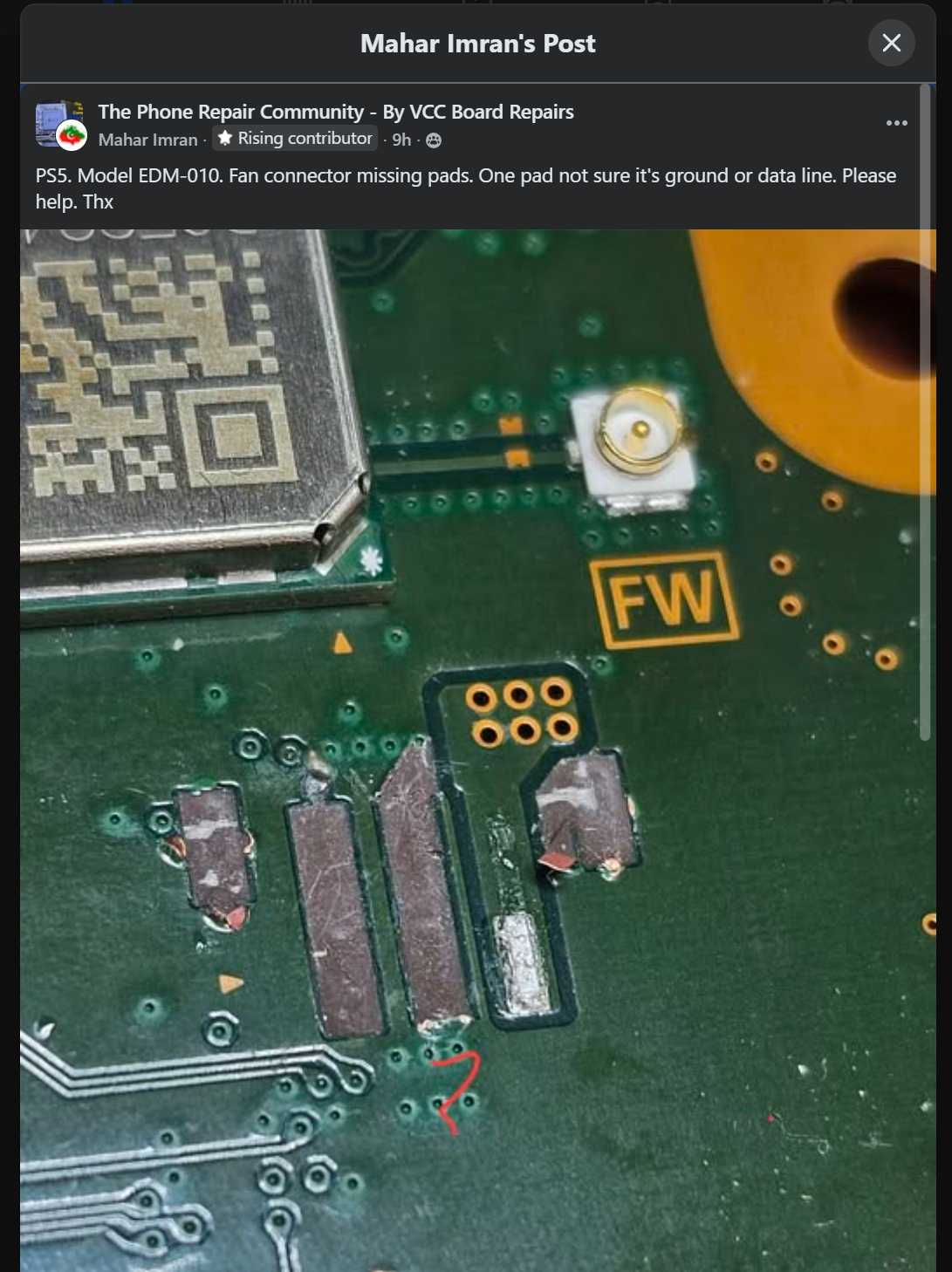
A funny example of why board repair are still very human skills.
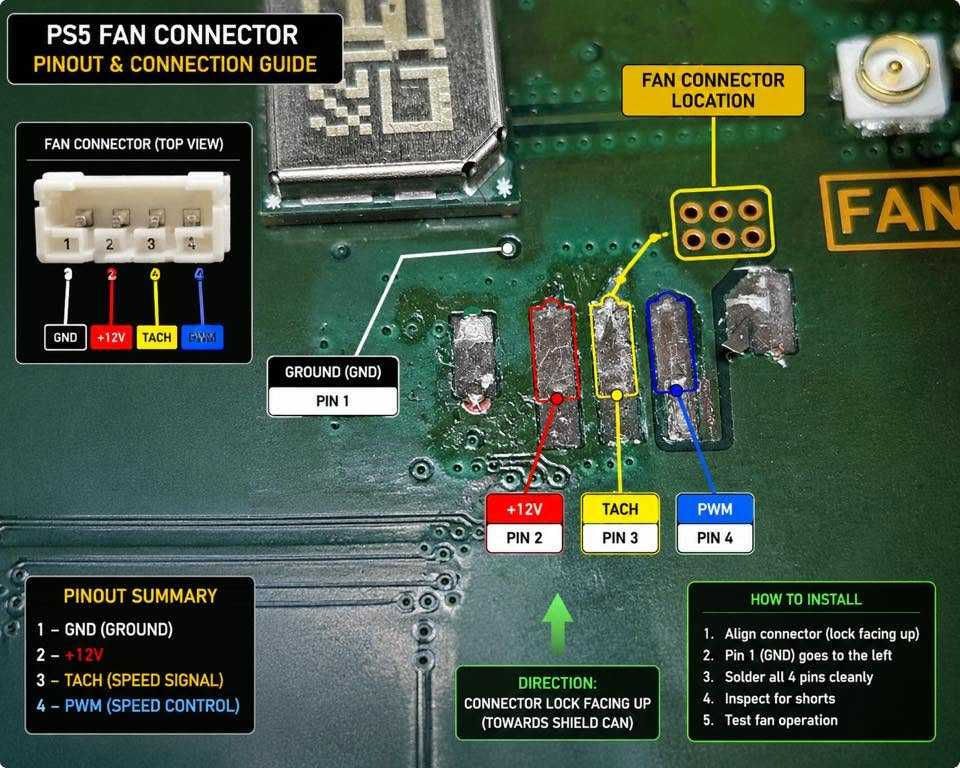
Someone posted in my Facebook group asking for help identifying a ripped pad on a PS5 fan connector. The connector had been torn off the board, and they wanted to know what signal the missing middle pad belonged to so they could run a jumper.
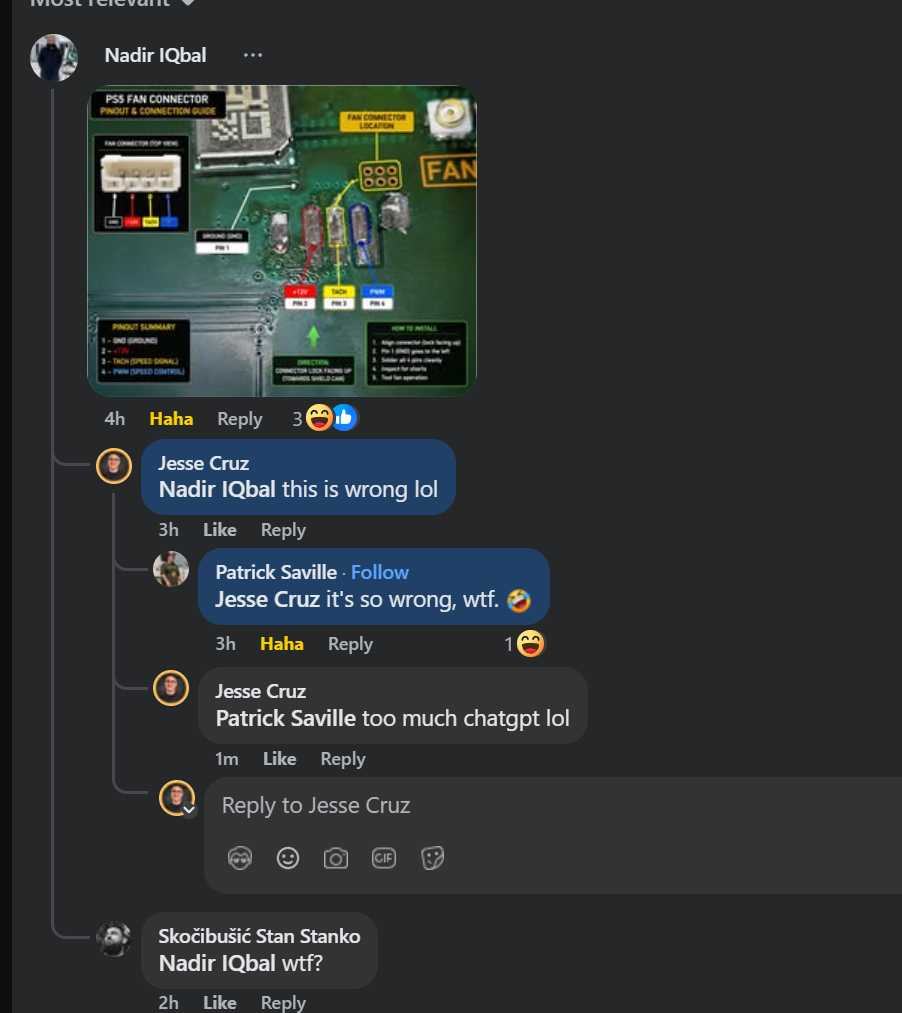
A commenter decided to let AI handle it.
They fed the photo into ChatGPT and got back a nice-looking annotated diagram showing all the pin functions. The problem?
It was completely wrong.
The AI labeled the missing pad as the TACH signal when in reality that pad is ground.
The scary part is that if you didn't already know the answer, the diagram looks convincing. It has arrows, labels, colors, callouts, and all the confidence in the world. Yet it still gave bad information that could send someone down the wrong path.
This is one of the reasons I don't lose sleep over AI replacing board repair technicians.
AI is incredibly good at summarizing information that already exists publicly. But in our industry, a huge amount of knowledge doesn't exist in easily searchable public sources. Many solutions come from years of hands-on experience, reverse engineering, private group discussions, lab testing, and trial-and-error. A lot of the most valuable information is buried in technician group chats, private forums, repair communities, and people's heads.
When AI can't find an answer, it often does what it does best: it generates something that sounds plausible.
For common topics, that's usually fine.
For board repair, data recovery, and electronics diagnostics, that's how you end up with a beautiful diagram that's completely wrong.
Could AI eventually get there? Maybe.
But for now, if your PS5, iPhone, Samsung, or data recovery case is depending on the answer being correct, I'd still trust the technician who's actually repaired hundreds of them over a chatbot that confidently guessed.
Sometimes experience is still the best database.
Are you worried about AI taking your job?
If you have a Seek Thermal Cam, you're missing out if you don't have a VCC Seek Stand: https://www.vccboardrepairs.com/buy-seek-stand
Injured Gadgets just got these back in stock, so get them while you can!
It can take us a while to build these out sometimes, so they're sometimes out of stock for a while, but we're working towards always having inventory ready to build more as they sell out.
This stand makes using a thermal cam so easy. So much better than any other thermal solution on the market.
It allows you to get real close up (using my Macro Lens), and easily find where the short is coming from.
Plus it's hard free, so you can have your hands free to try to boot the device from DCPS, while having an image that is in focus & not moving around.
You can even record a video through the app, while you inject voltage into the short, so you can go back & see exactly which component was it that was heating up.
Save yourself lots of time by getting a Seek Cam, Stand & Macro Lens! ...
Anyone who is doing game console repairs, knows how many screws you need to remove to access the motherboard.
Especially the PS5, with the 5,000 screws or so.
If you don't already have an electric screwdriver, GET ONE ASAP.
🌟 Cordless Screwdriver with T9 Bit: https://amzn.to/3E5duCj
🌟Extended T9 Bit: https://amzn.to/3c4YJac
It's rechargeable through micro USB and allows you to easily swap the tips out. You can also fold it to be straight or L shape.
Let me know below if you are already using an electric screwdriver 👇👇
Hey, can I get some suggestions on what I'm missing if anything?
A customer sent me a PS4 slim (SAF 005)saying it needs the HDMI IC replaced. I measured in diode mode and readings around the IC were slightly lower than usual but not completely out of spec. In any case, when turned it on, it goes to a white light and the screen is black with some flashes at startup and then completely black again.
Here's what I did:
Replaced HDMI IC: now it's permanently black, no flashes. Also the measurements are nominal.
Replaced port. Even tho it seemed good and all the pins were solid I replaced it to see if it symptoms would change. Nothing changed.
All the diodes measure ok. All the voltages are present. 2.5v on the caps on the chip side. 3.3v on the small diodes and 5v on the other diode.
The fuse that goes bad is fine as well.
I'm posting here as a last resort before I ship it back as a no fix.
Edit: the HDMI Chokes measured good as well
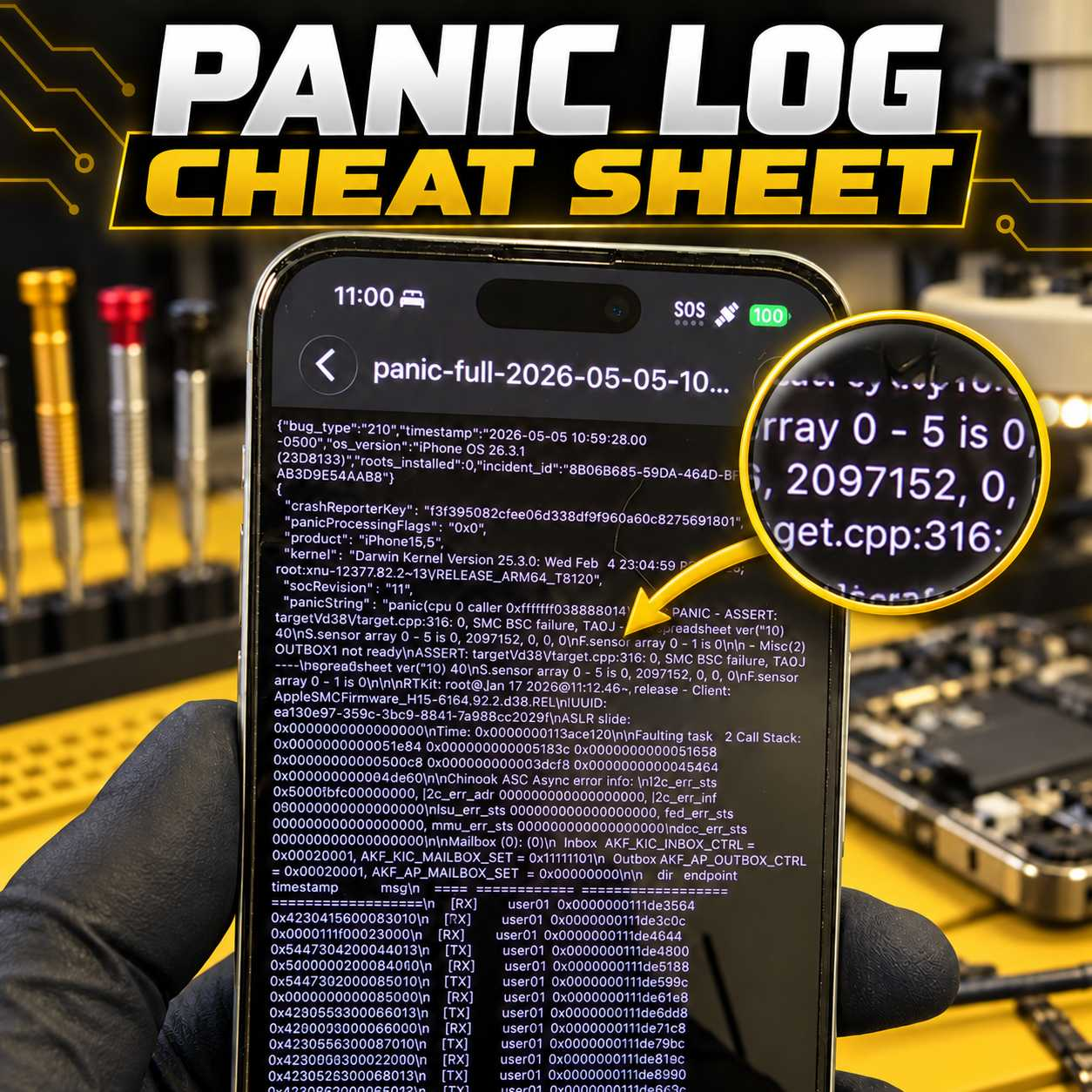
Stop Guessing at iPhone Panic Logs
Panic logs can provide valuable information about why an iPhone is restarting, but identifying the actual cause is not always straightforward.
A panic log may point toward a charging-port assembly, proximity sensor, power circuit, missing sensor, damaged flex cable, or a board-level issue. The difficult part is knowing which component is responsible on each particular iPhone model.
That is why I created the VCC Panic Log Cheat Sheet.
Personally Tested and Verified Solutions
This is not a generic list copied from forums or collected from unverified posts.
The cheat sheet is based on panic logs and solutions I have personally tested and verified while repairing iPhones at VCC Board Repairs. It covers virtually every iPhone model and documents the parts, sensors, flex cables, and circuits commonly associated with specific panic strings and numerical values.
The goal is simple: help repair technicians diagnose restart issues faster and avoid wasting time or money replacing the wrong parts.
...